Give an agent a link, then run it from Google Sheets, Zapier or a browser
The sentence
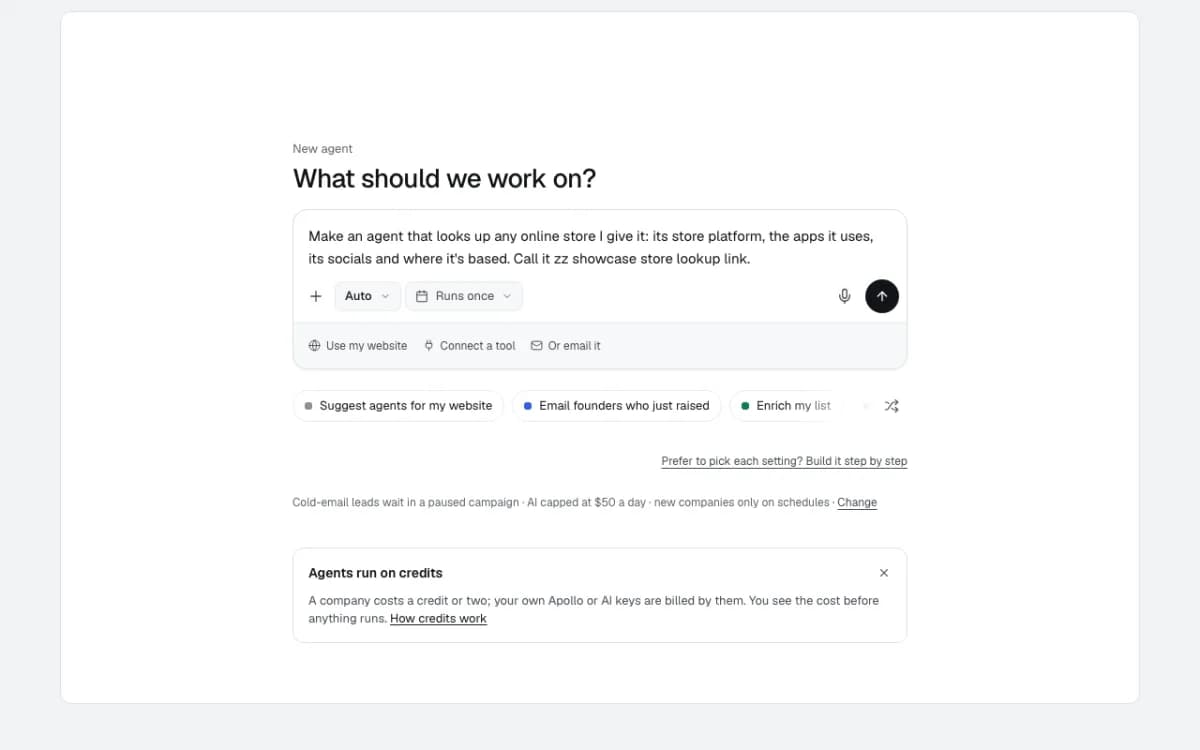
Make an agent that looks up any online store I give it: its store platform, the apps it uses, its socials and where it's based. Call it zz showcase store lookup link.
The agent is built once in chat, and from then on it is a link. The link runs the saved plan without planning again, so it behaves the same every time, and one company= on the end is enough for an answer. Opened in a browser it returned Glossier's platform (Shopify), its apps (Klaviyo, Optimizely, Cloudflare), every social profile and its New York base in one JSON answer, and the run showed up on the agent's Results like any other.
- Built in
- 2 chat turns, 9 seconds and 1 second
- Answer for one store
- JSON with 1 row and a summary, under a second
- Cost of an opening
- 1 credit (a run costs what a run costs)
- AI used
- None: $0.00
- Where it runs
- A browser, Google Sheets (IMPORTDATA), Zapier or n8n
Build
- 1
The sentence
Typed into Home. It read it back in 9 seconds: each store's platform and apps (tech stack), social profiles and headquarters, then asked where the results should go.
- 2
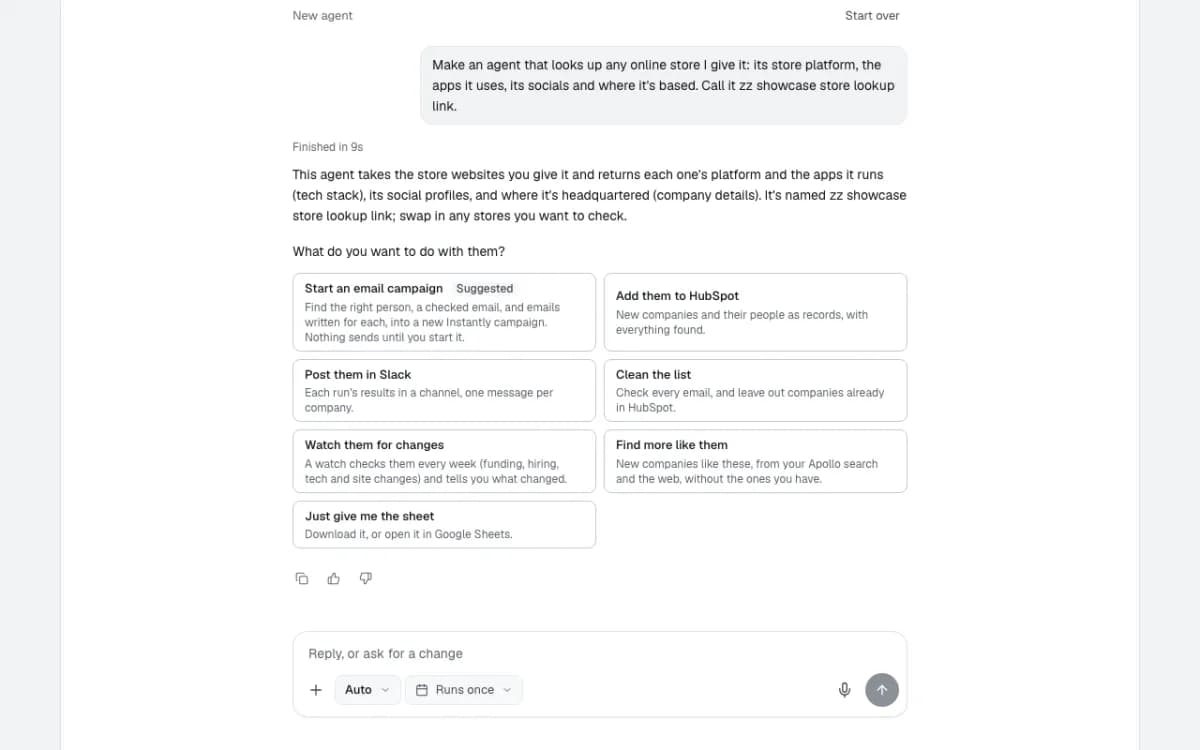
Just the sheet
Nothing needs to go to a tool here: the link's caller takes the answer. "Just give me the sheet" keeps it that way.
The plan card says what each run looks up and who pays: the store research is included, 1 credit a company.
- 3
Its link, and the Google Sheets formula
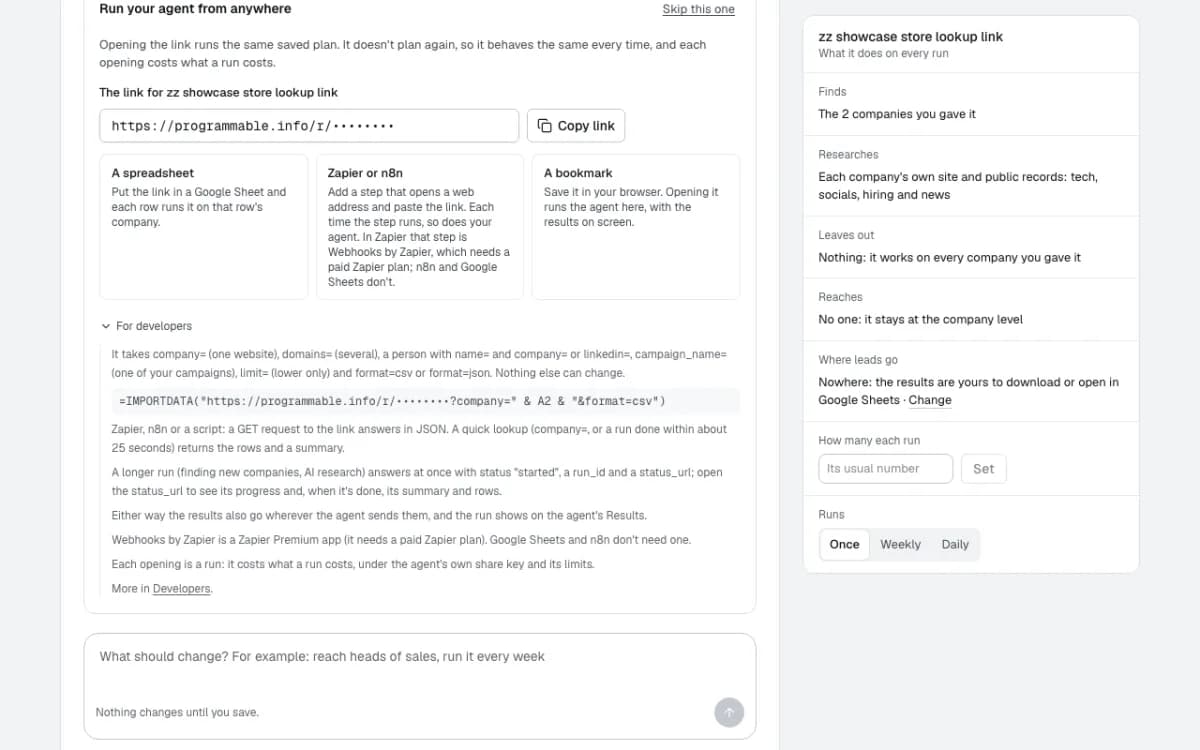
Right after Create agent, "Run your agent from anywhere" shows the link and three ways to use it: a spreadsheet, Zapier or n8n, or a bookmark.
For developers has the formula for a sheet with a website in column A: =IMPORTDATA("<its link>?company=" & A2 & "&format=csv"). Fill it down and every row runs the agent on its own store.
- 4
What the link takes
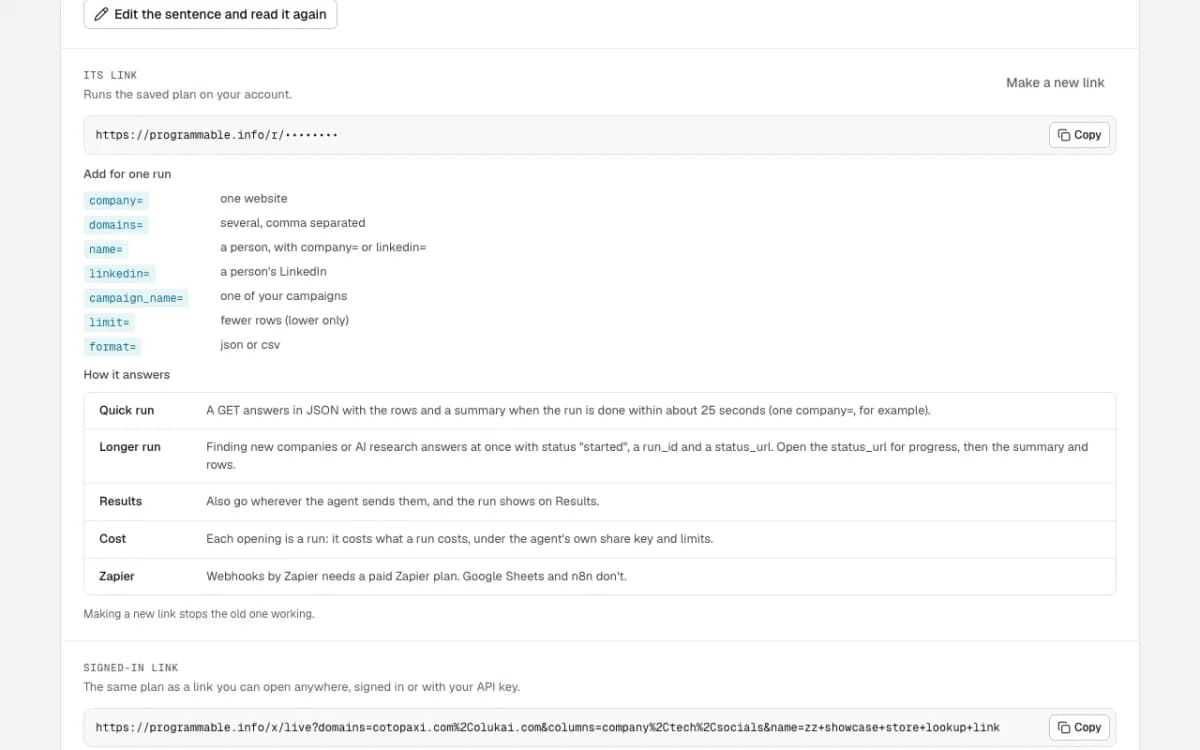
The agent's Details list what can be added for one run: company= for one website, domains= for several, limit= to take fewer rows, format=json or csv. Nothing else can change the plan.
A quick run answers with the rows straight away; a longer one (finding new companies, AI research) answers with a status link to check.
Run
- 5
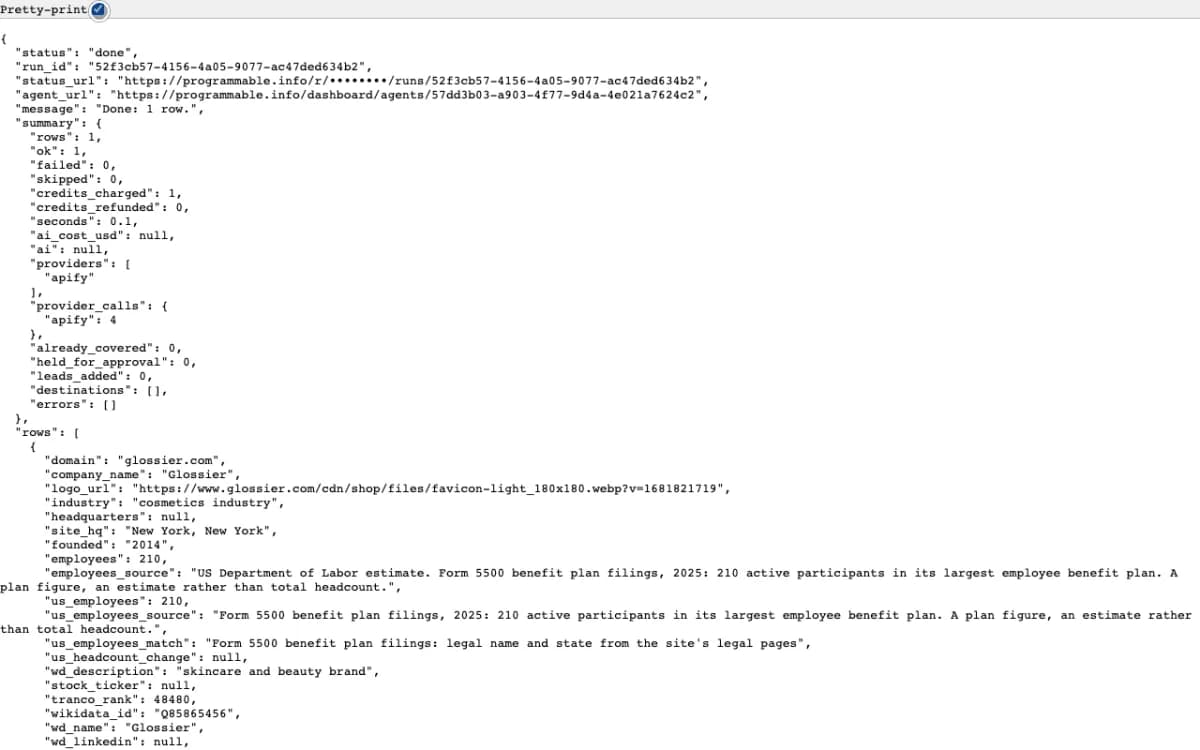
Opened with ?company=glossier.com&format=json
The answer came back in under a second: status done, a summary (1 row, 1 credit, no AI) and the row itself.
Glossier: Shopify, Klaviyo and Optimizely, Cloudflare in front, New York, founded 2014, 210 people on its US benefit plan, and its LinkedIn, Instagram, TikTok, YouTube, X and Facebook.
Result
- 6
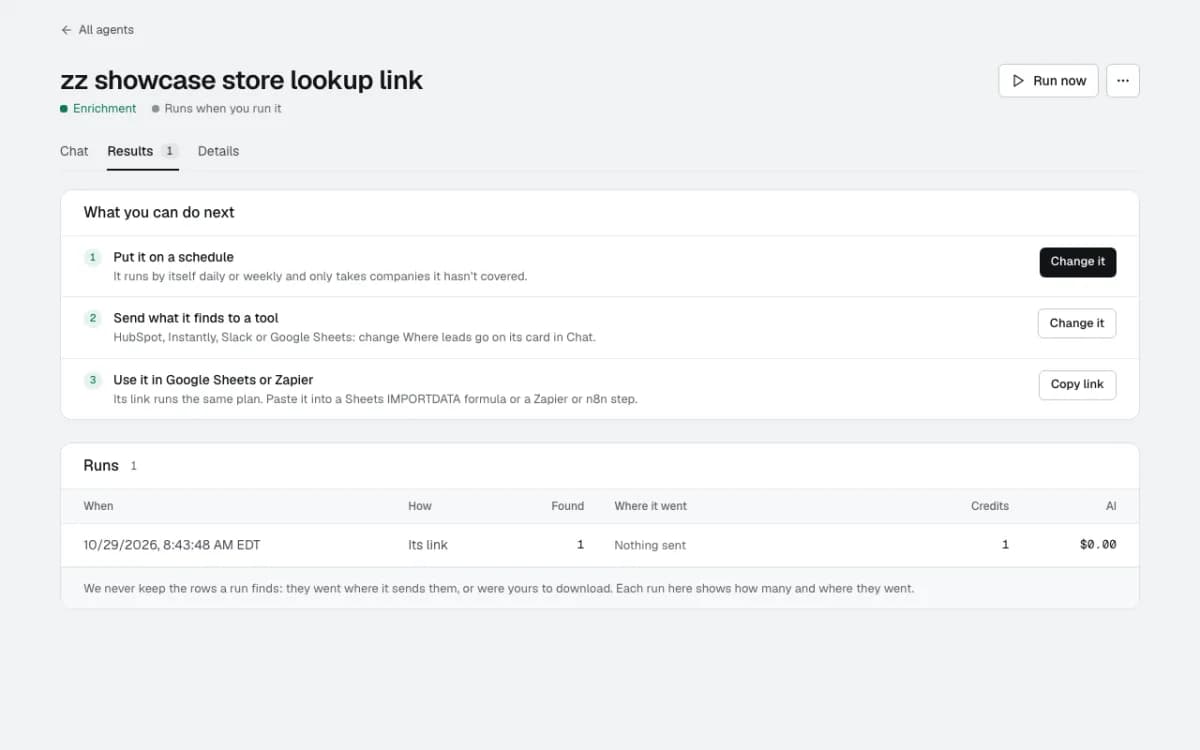
Every opening is a run you can see
The agent's Results show it: run by Its link, 1 found, 1 credit, $0.00 of AI. Opened from Sheets, Zapier or a script, each call lands here the same way.
What happens next
- 7
Put it where the work already is
In Google Sheets, the formula next to a list of stores fills each row. In Zapier, a Webhooks by Zapier step (a paid Zapier plan) or an n8n HTTP step calls the link when something happens, such as a new signup or a new deal.
Making a new link stops the old one working, so a link that has been shared too widely can be switched off in one click.
Questions
- Does opening the link plan the agent again?
- No. It runs the plan saved when the agent was created, so the same link gives the same kind of answer every time. Change the plan in the agent's Chat and the link follows it.
- What does each opening cost?
- What a run costs: here 1 credit a store, under the agent's own share key and its limits. Every opening shows on the agent's Results with its credits.
- Is the link a secret?
- Treat it like one: anyone with it can run the agent on your account. Keep it in your own sheet or automation, and use Make a new link on the agent's Details if it gets out; the old one stops working.
Build this one in a sentence
500 credits included, no card. Nothing sends until you say so.