Watch five competitors for pricing, product and hiring changes
The sentence
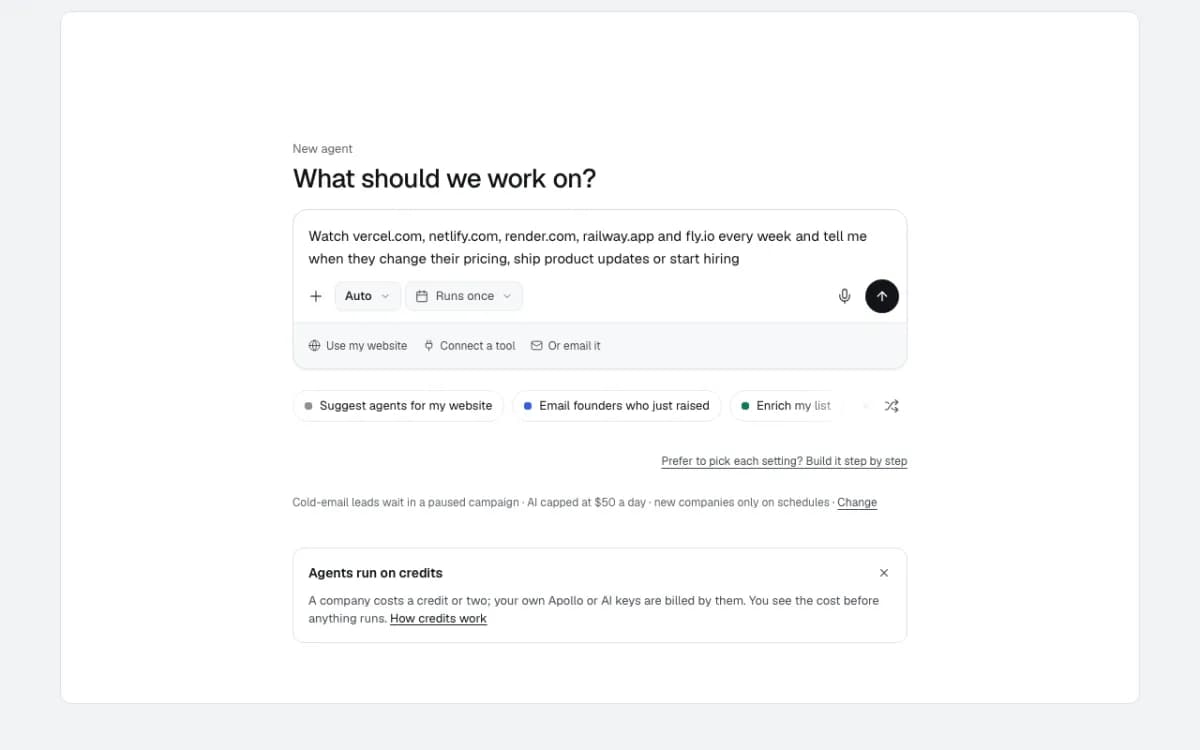
Watch vercel.com, netlify.com, render.com, railway.app and fly.io every week and tell me when they change their pricing, ship product updates or start hiring
The sentence names five competitors and three kinds of change. The chat reads it as a watch, not a one-off list, and fills in the form with only what was asked for: hiring, pricing and product updates, every week. Each check reads every company's pricing page, changelog and job board afresh and compares them with the last check, so what you hear about is the change itself: a new pricing tier, a jump in open roles, a new team hiring, a new release.
- Built from
- 1 sentence, checked in a form
- Companies watched
- 5, every week
- What it compares
- Pricing, product updates, hiring
- First check
- A snapshot of all 5, in seconds
- Where changes go
- Signals, and posted to Slack
- Cost
- 5 credits a check, no AI
Build
- 1
The sentence
Typed into Home: the competitors' websites, what to hear about and how often. The chat answers in a second that it's a watch, what it will compare, and that it costs a credit per company per check.
- 2
Only what was asked for
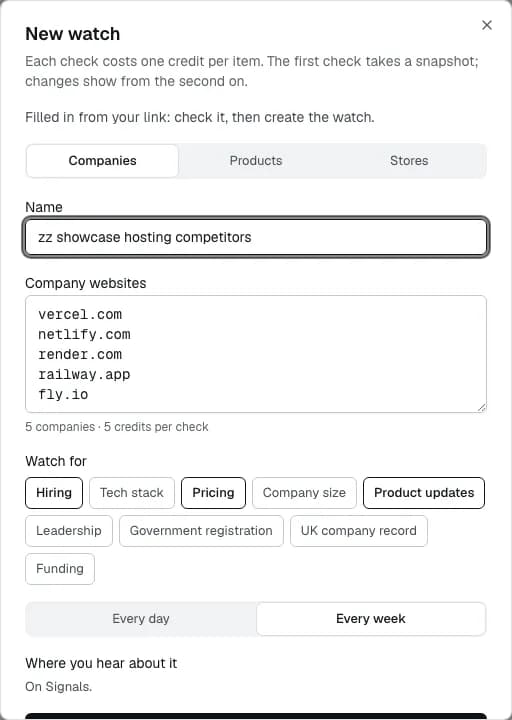
The form opens filled in: Companies, the five websites, and Hiring, Pricing and Product updates picked. Tech stack, company size, leadership and funding stay off because the sentence didn't ask for them.
Nothing is made until you press Create watch. Here only the name was changed.
Run
- 3
The first check is a snapshot
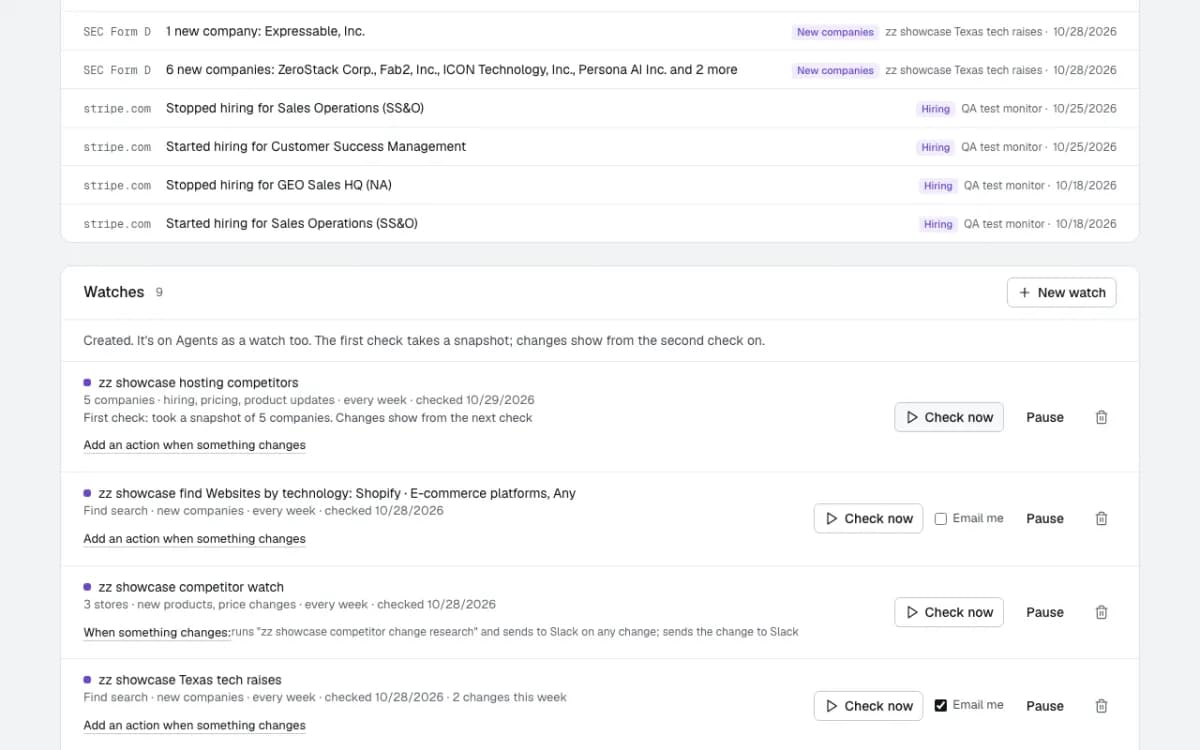
Check now reads all five companies in seconds: open roles and the teams hiring, the pricing page's model, starting price and tiers, and the changelog's latest release and how many shipped in 90 days.
There is nothing to compare with yet, so the first check says so: changes show from the next check on. It cost 5 credits, one per company.
- 4
Each change posted to Slack
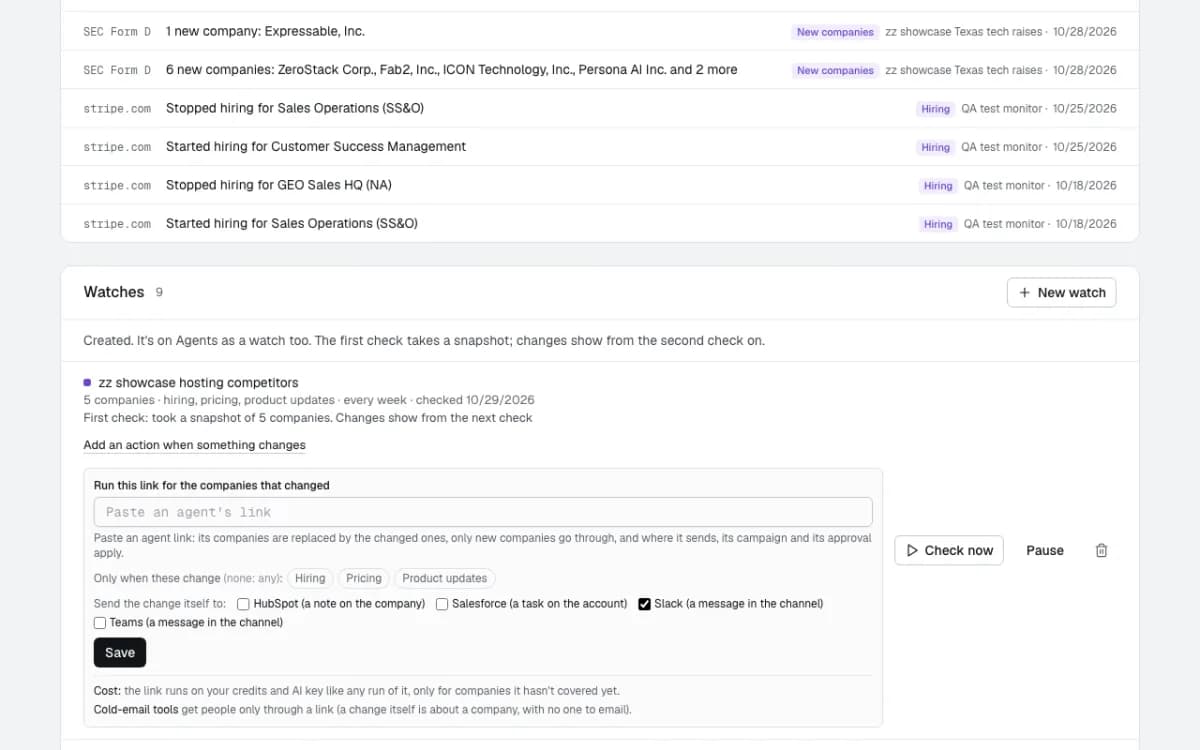
Add an action when something changes, then tick Slack: every change the watch finds is posted to the account's Slack channel as well as kept on Signals.
The same panel can add each change to HubSpot, Salesforce or Attio, or run an agent's link for the companies that changed, such as finding the right person there and writing to them.
Result
- 5
Signals: what changed, across every watch
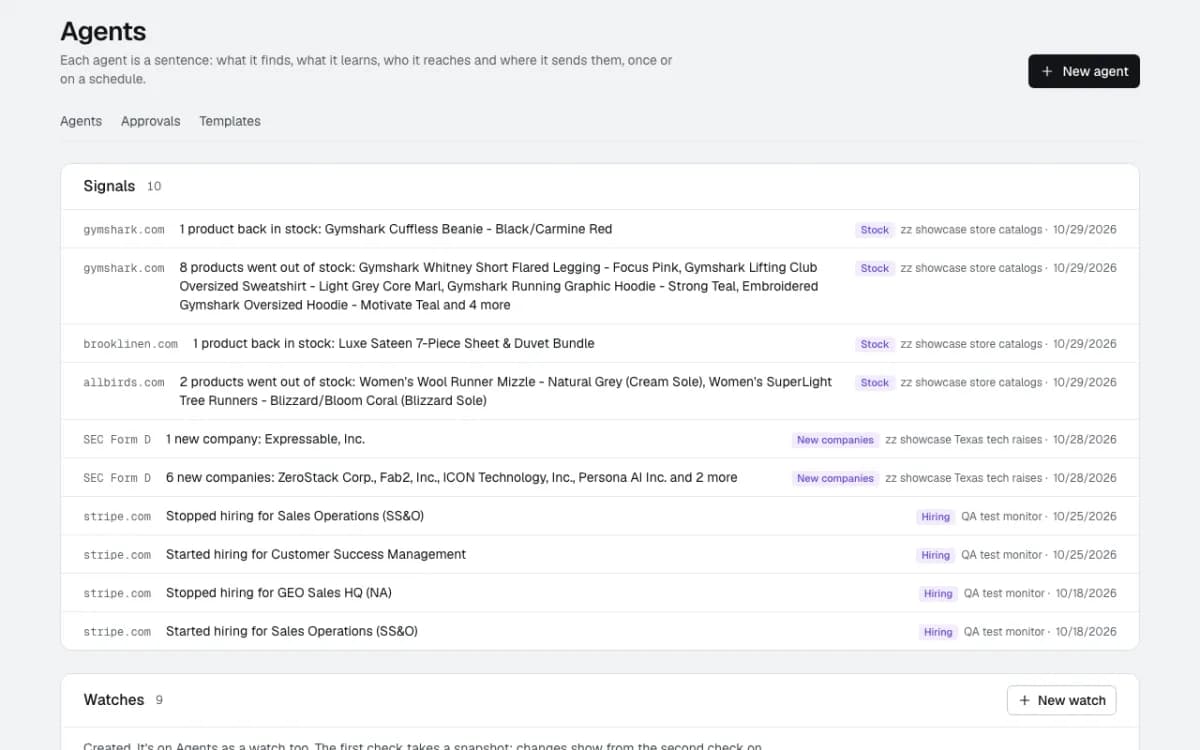
Signals lists every change from every watch on the account, newest first, with the site, the kind of change and the watch it came from.
What a company watch reports looks like the stripe.com rows here, from a weekly hiring watch on this account: "Started hiring for Customer Success Management", "Stopped hiring for Sales Operations". This watch's first changes arrive with its next weekly check.
What happens next
- 6
Every week, on its own
The watch checks the five companies every week and compares each one with the week before. Small wobbles aren't news: a couple of open roles more or less, or a source that didn't answer this time, don't count as a change.
It's on Agents as a watch too, with its own Signals tab, and you can pause it, change what it watches or make it daily.
Questions
- Why didn't the first check report any changes?
- There is nothing to compare it with yet. The first check takes a snapshot of each company's pricing, product updates and hiring; changes show from the second check on.
- What counts as a change?
- A new or dropped pricing tier, a new starting price, a free tier added or removed, a new release on the changelog, a team that starts or stops hiring, and open roles moving by more than a few. A source that couldn't be read on one check isn't reported as a change.
- What does it cost?
- One credit per company per check, and no AI. A company that can't be read on a check isn't charged for it.
Build this one in a sentence
500 credits included, no card. Nothing sends until you say so.