Upload a list of 24 online stores and get back their platform, apps, socials, HQ and hero product
The sentence
Upload stores.csv (24 store websites), keep the default columns, and add one AI question: What is the one product this store is best known for, in a few words?
The file had two columns, a store name and a website, and nothing else. The sheet read the columns on its own (website sure, the name a guess), then looked up every store at once: it found the platform behind 22 of the 24, the marketing and payment apps on their pages, every Instagram and LinkedIn profile and a headquarters for all 24. The one AI question was answered from what was read about each store, with the reason next to every answer.
- Stores in the file
- 24, all enriched, 0 failed
- On Shopify
- 22 of 24
- Headquarters found
- 24 of 24
- Instagram and LinkedIn found
- 24 of 24 each
- Time
- 25 seconds (71 on the first, uncached run)
- Cost
- 24 credits, plus $0.63 of AI on the owner's own Claude key
Build
- 1
Drop in the file
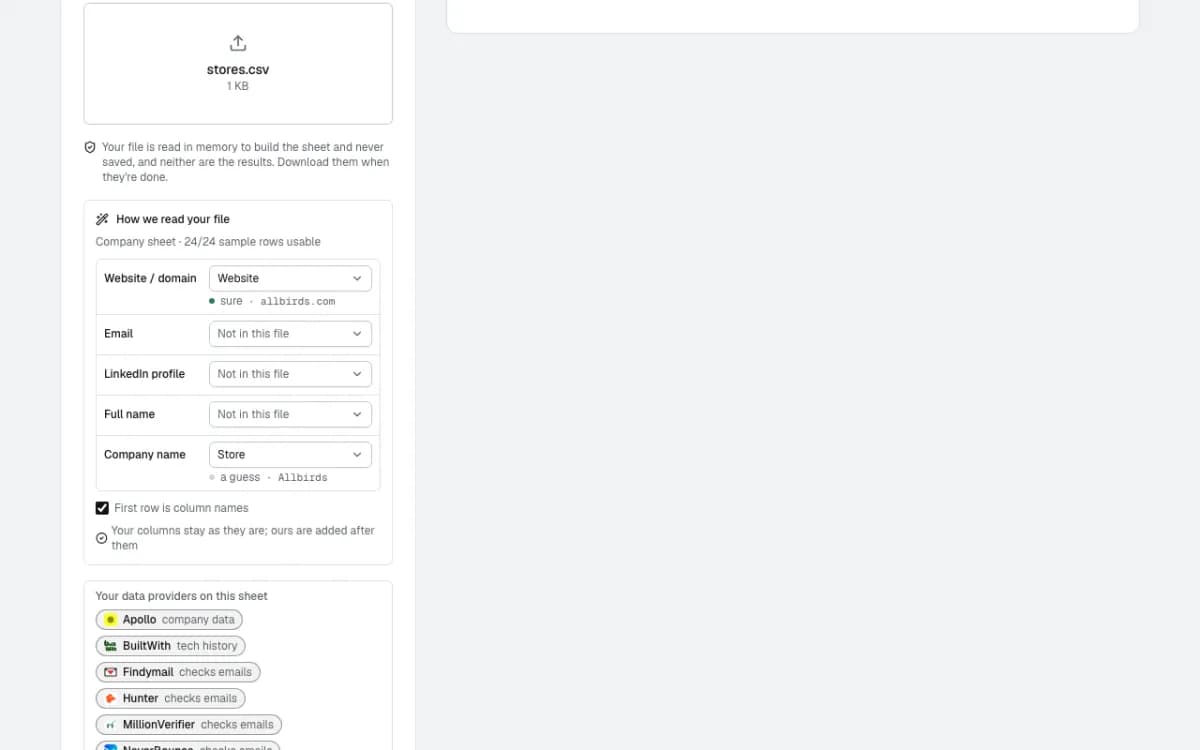
Data, Enrich, Upload CSV. The file is read in memory and never saved.
It works out which column is which by itself: Website is the store's domain (sure), Store is the company name (a guess). Nothing to map by hand.
- 2
Keep the columns, add one question
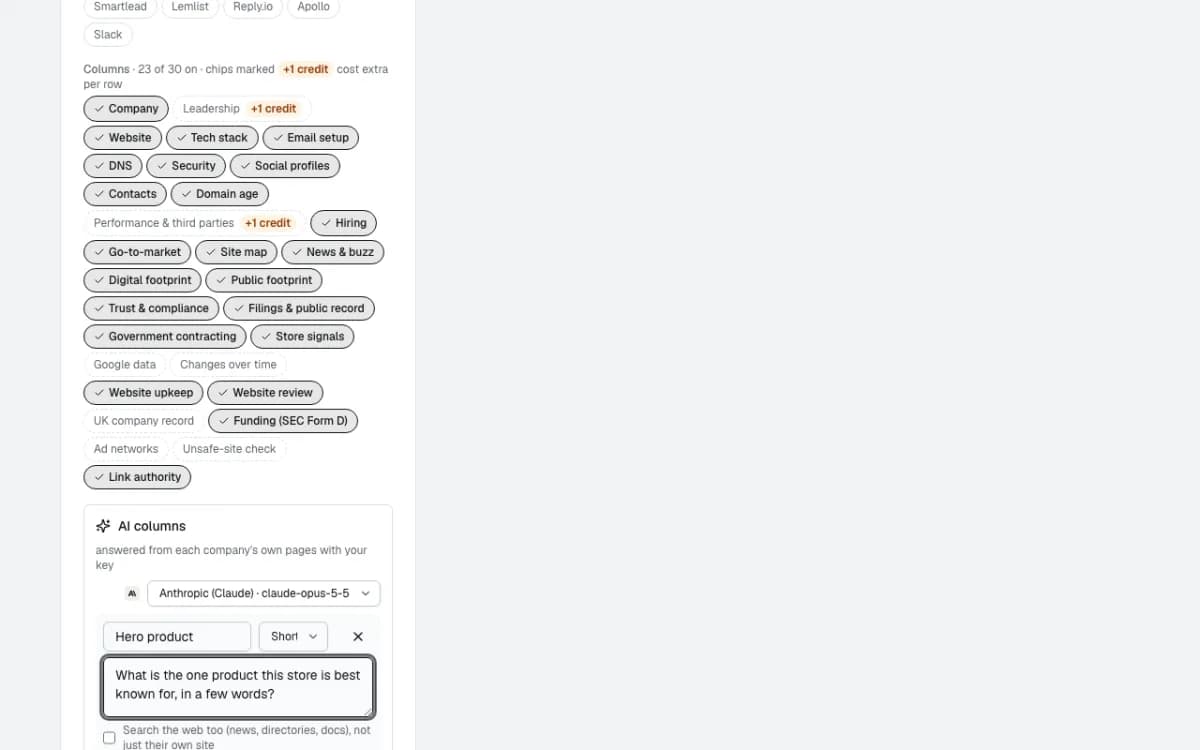
23 of 30 column groups are on by default: company, tech stack, socials, store signals and more. Two cost an extra credit a row and are off.
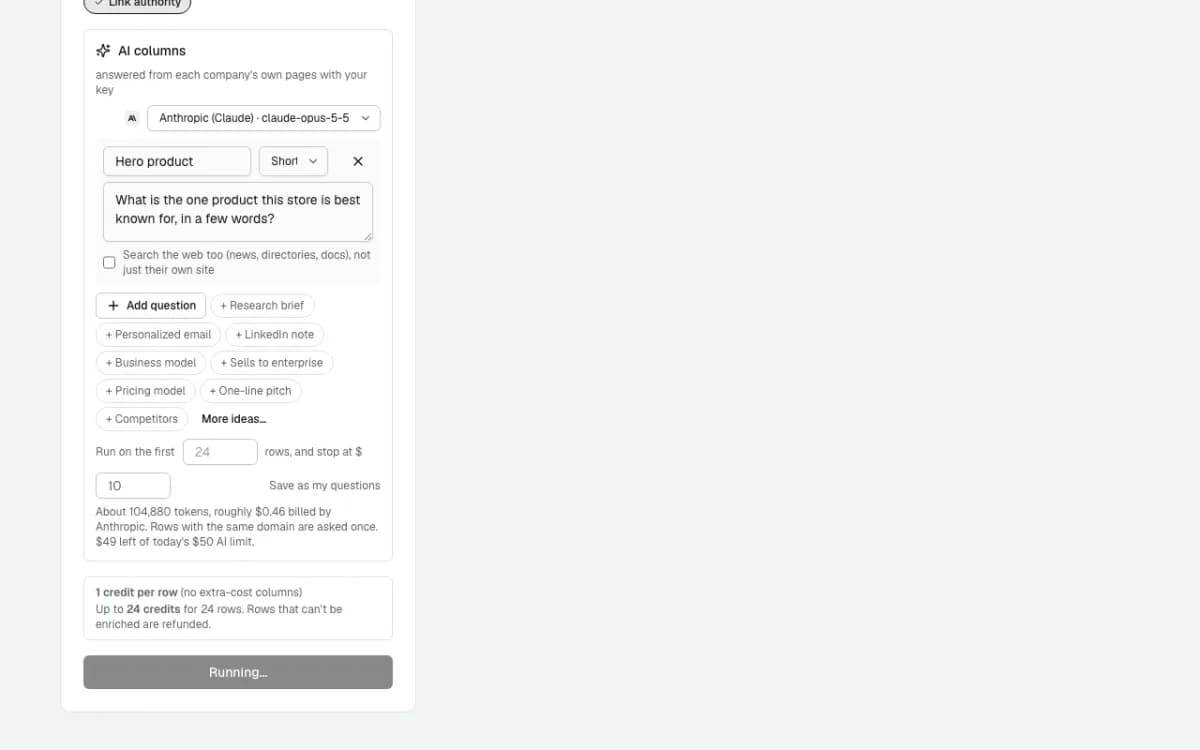
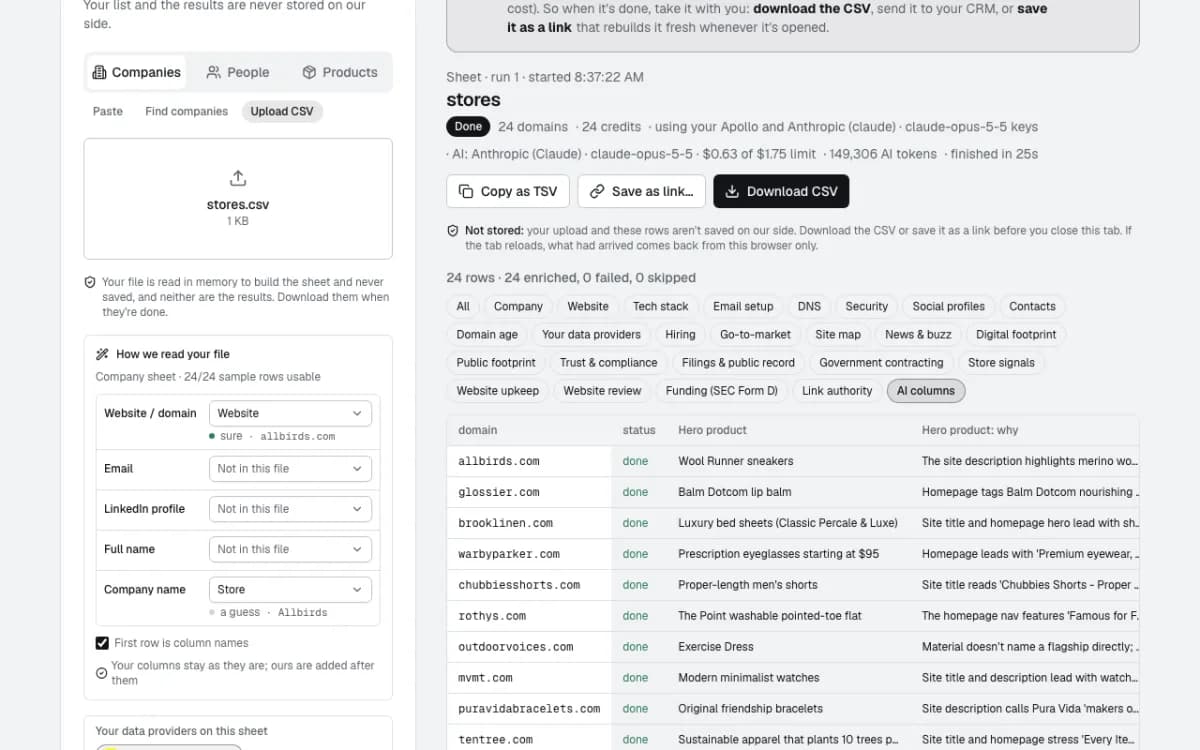
One AI column was added: Hero product, a short answer to "What is the one product this store is best known for?". Before it runs, it estimates the AI tokens and cost.
Run
- 3
Every store at once
Rows arrive as each store finishes. All 24 were done in 25 seconds, because the stores had been looked up before; the first, uncached run took 71 seconds.
Result
- 4
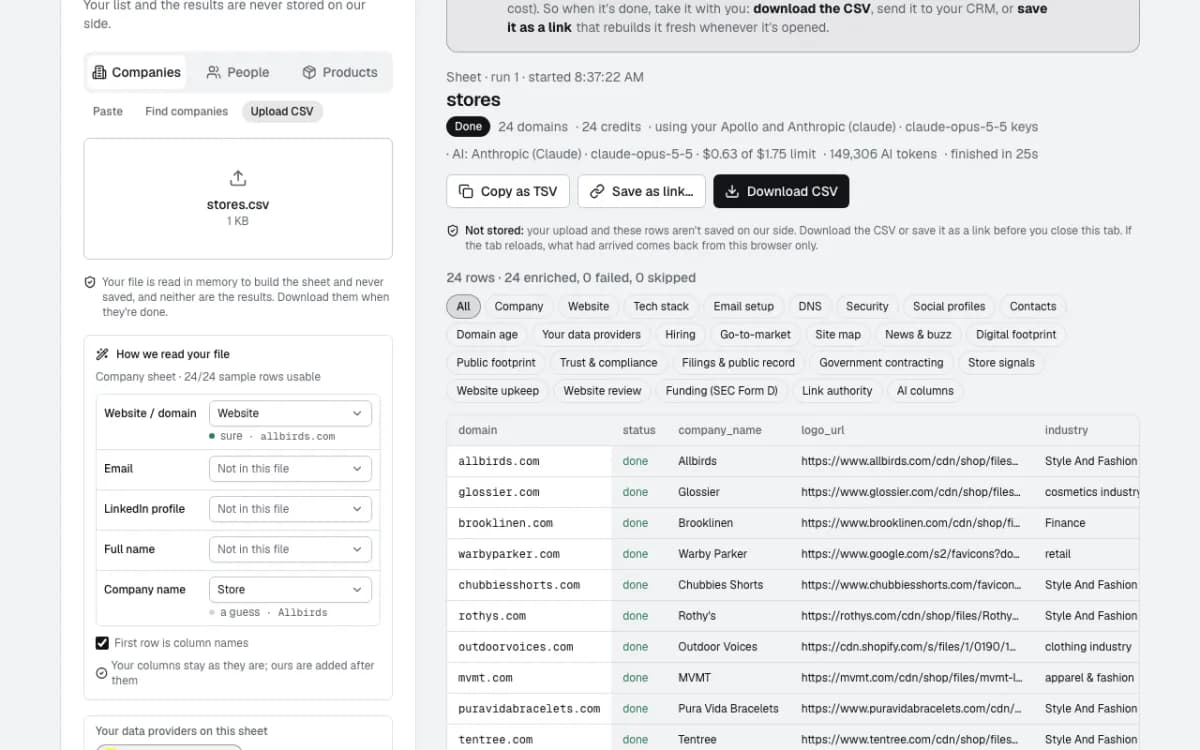
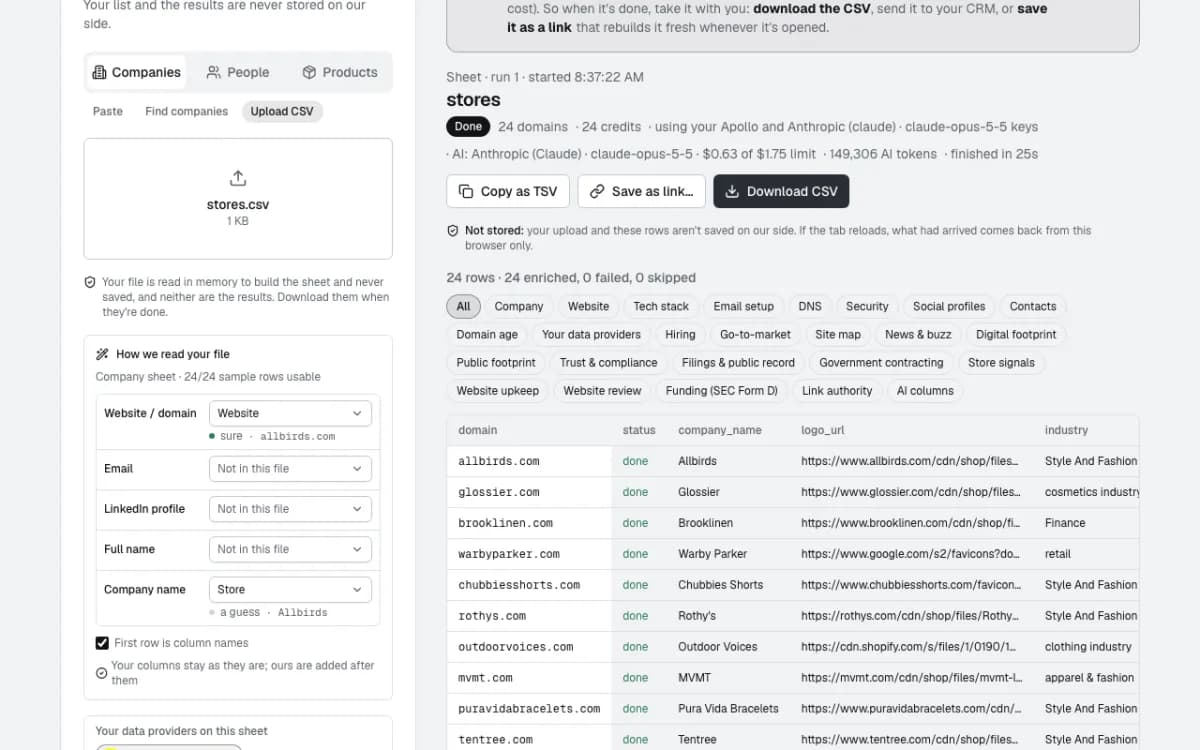
24 rows, 24 enriched, 0 failed
The header says what it cost and on whose keys: 24 credits, and $0.63 of AI (149,306 tokens) billed by Anthropic on the owner's key, well under the $1.75 limit set for the sheet.
The chips above the table show one group of columns at a time, so a wide sheet stays readable.
- 5
Platform and apps
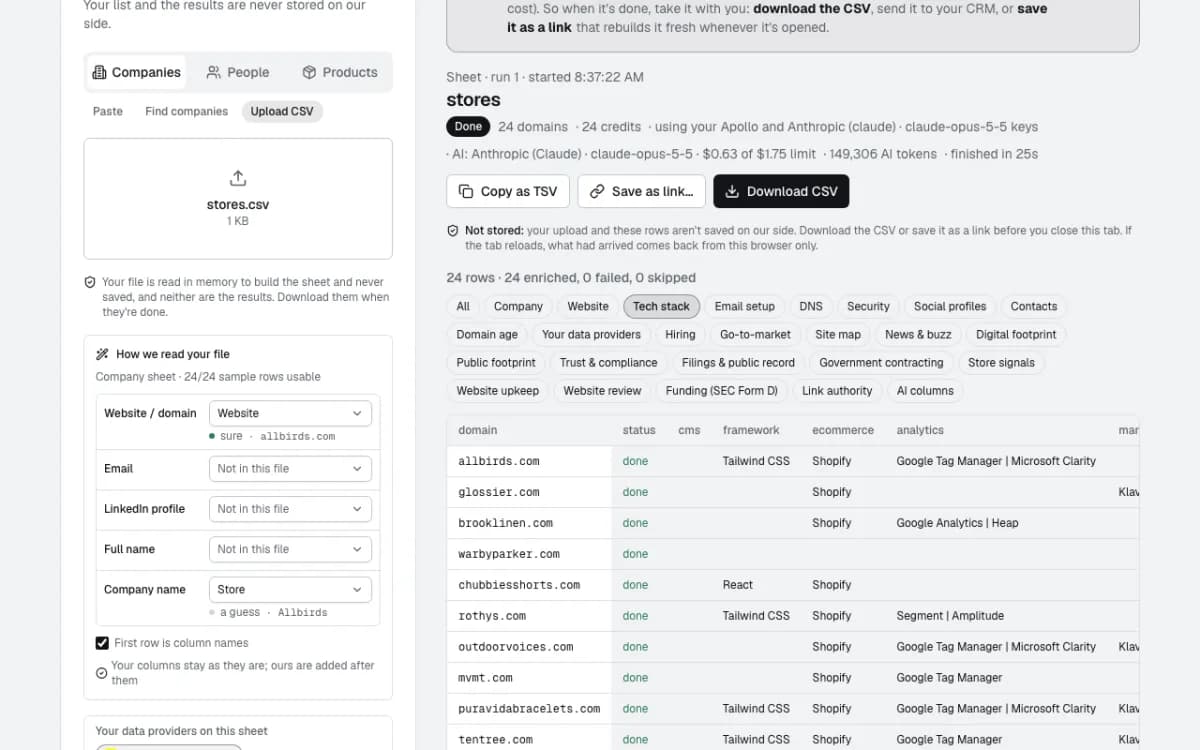
Tech stack: Shopify on 22 of the 24, with the analytics and marketing tools found on each store's pages. 14 of them run Klaviyo.
Store signals: payment options such as Apple Pay and Venmo, and buy-now-pay-later (Afterpay, Klarna, Shop Pay Installments) where a store offers it.
- 6
Socials, and the AI answer with its reason
LinkedIn, X, Facebook, Instagram, YouTube and TikTok links come from each store's own site.
The AI column gives a short answer and why: Balm Dotcom lip balm for Glossier ("Homepage tags Balm Dotcom as the Best Seller"), Sichuan Chili Crisp for Fly By Jing, the Carry-On for Away.
What happens next
- 7
Download it, or keep it as a link
Download CSV gives every column, 328 of them, with your own two columns kept as they were. Copy as TSV pastes straight into a spreadsheet.
Nothing is stored on our side. Save as link rebuilds the same sheet fresh whenever it's opened, or an agent can run it every week and send new rows to a tool.
Questions
- Do I need to tell it which column is the website?
- No. It reads the first rows and picks the website, email, LinkedIn and name columns itself, saying how sure it is. You can change any of them before you start.
- What does it cost?
- 1 credit a row for the default columns; a couple of column groups cost an extra credit a row and are marked. Rows that can't be enriched are refunded. AI questions run on your own AI key when you've connected one, or on the AI included in your plan, charged in credits per question; the cost is shown before it runs.
- Do you keep my list?
- No. The file is read in memory, the rows stream to your browser, and neither is saved. Download the CSV or save the sheet as a link before you close the tab.
Build this one in a sentence
500 credits included, no card. Nothing sends until you say so.