Paste 13 names and company websites, get back checked work emails
The sentence
Data, Enrich, People: paste 13 lines of "name, company website" (the chief executives of Microsoft, Apple, Amazon, Nvidia, AMD, Salesforce, Airbnb, Uber, Stripe, Spotify, IBM, Dropbox and Canva), keep Work email ticked and press Enrich.
Nothing to map and nothing to set up: the sheet reads each line as a person and a company, and passes them along the email tools connected to the account until one finds and checks an address. Hunter found seven, Apollo four and Findymail one, and every address came back verified. The one row it left alone is the European company: the service doesn't process EU, EEA or UK personal data, so it says so on the row and refunds it.
- People pasted
- 13, one per line
- Work emails found
- 12 of 12 it could process, all verified
- Found by
- Hunter 7, Apollo 4, Findymail 1
- Confidence
- 80 to 95
- Skipped
- 1, an EU company (refunded)
- Cost and time
- 26 credits with 2 refunded, 57 seconds
Build
- 1
One person per line
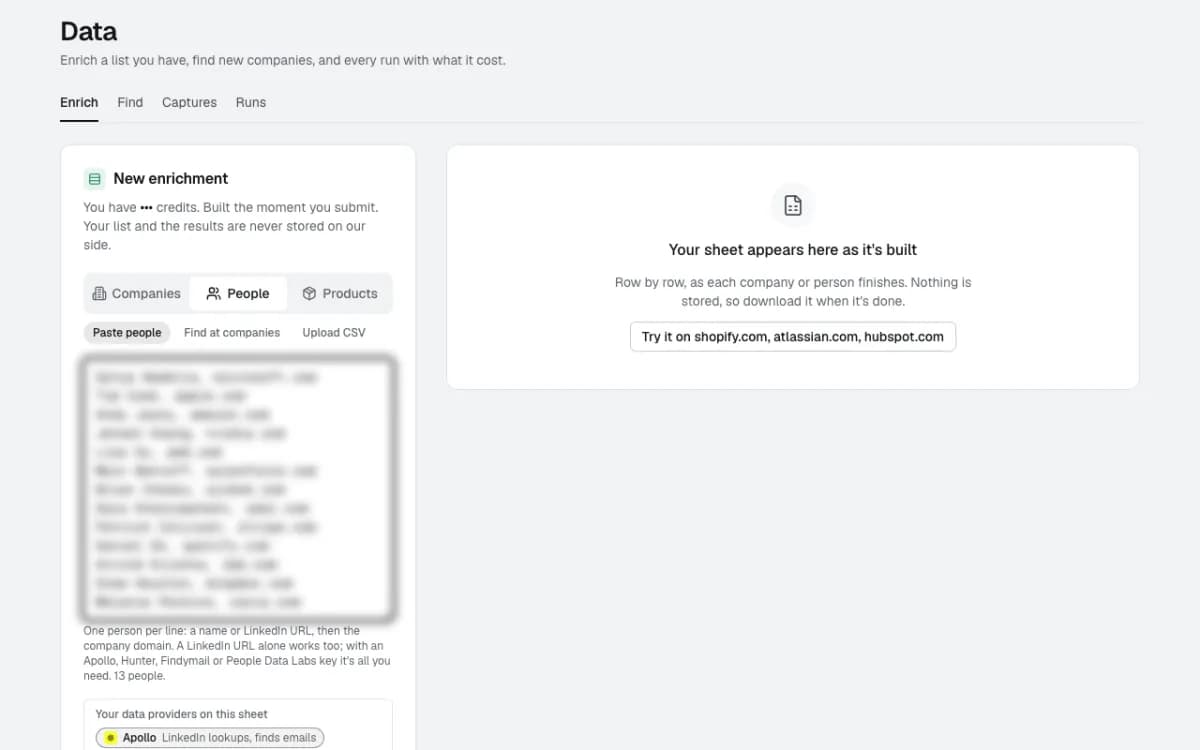
Data, Enrich, People, Paste people. Each line is a name and the company's website, the way you'd jot them down; a LinkedIn profile works too.
The sheet counts what it read (13 people) before anything runs. Names are blurred in these captures.
- 2
The email tools you already pay for
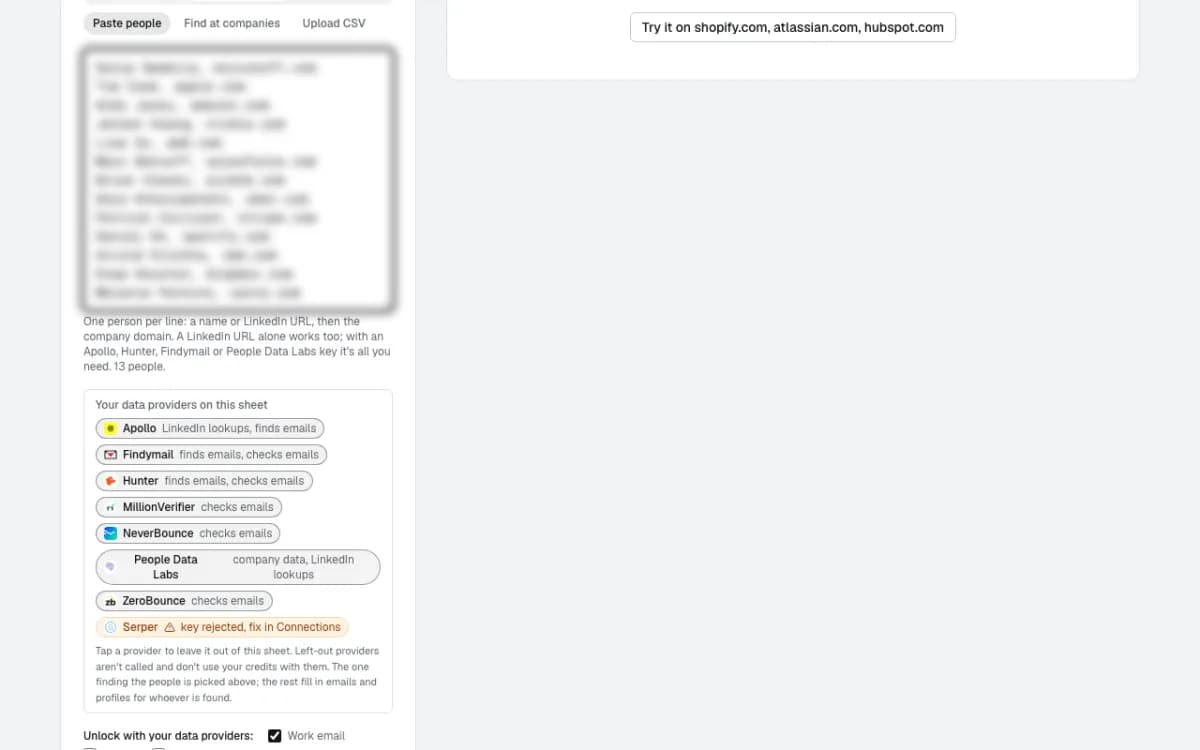
The sheet lists every data provider connected to the account and what each does here: Apollo, Findymail and Hunter find emails; MillionVerifier, NeverBounce and ZeroBounce check them. Tap one to leave it out of this sheet and it isn't called at all.
Work email is ticked. Mobile and personal email stay off, so no provider credits go on them.
- 3
The price before you press Enrich
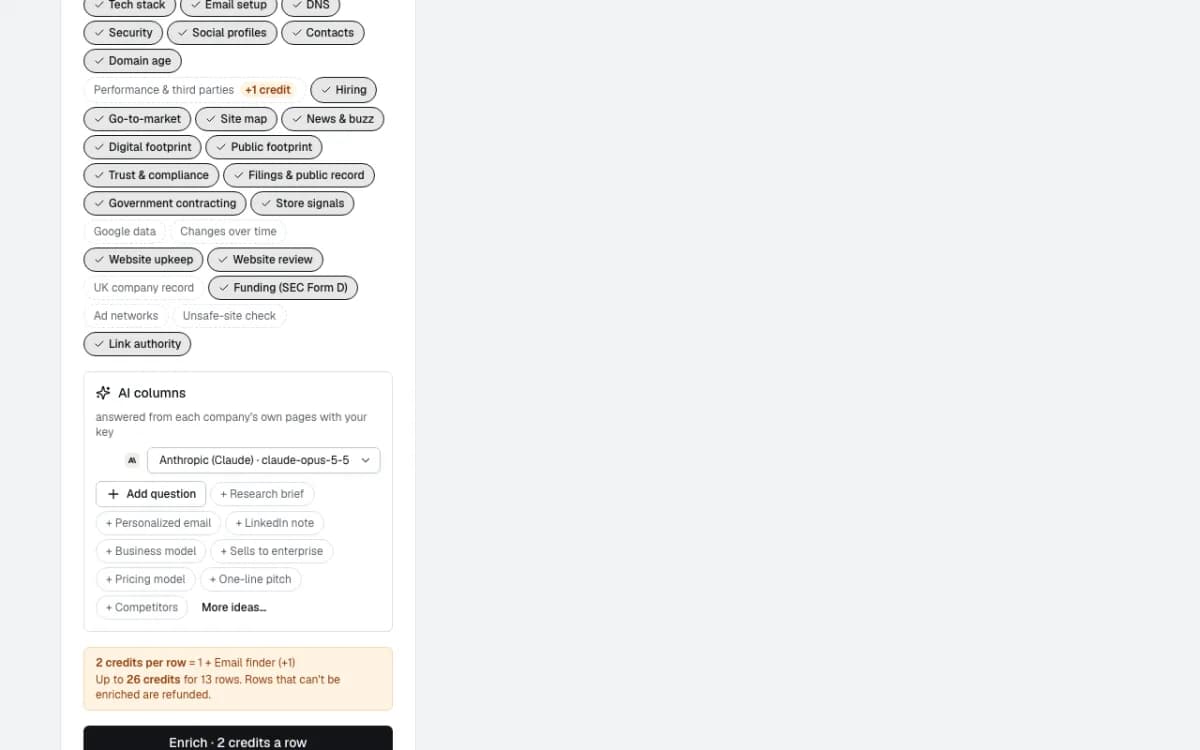
2 credits a person: 1 for the row and 1 for the email finder. Up to 26 credits for 13 people, and rows that can't be done are refunded.
Run
- 4
Each person goes down the line of tools
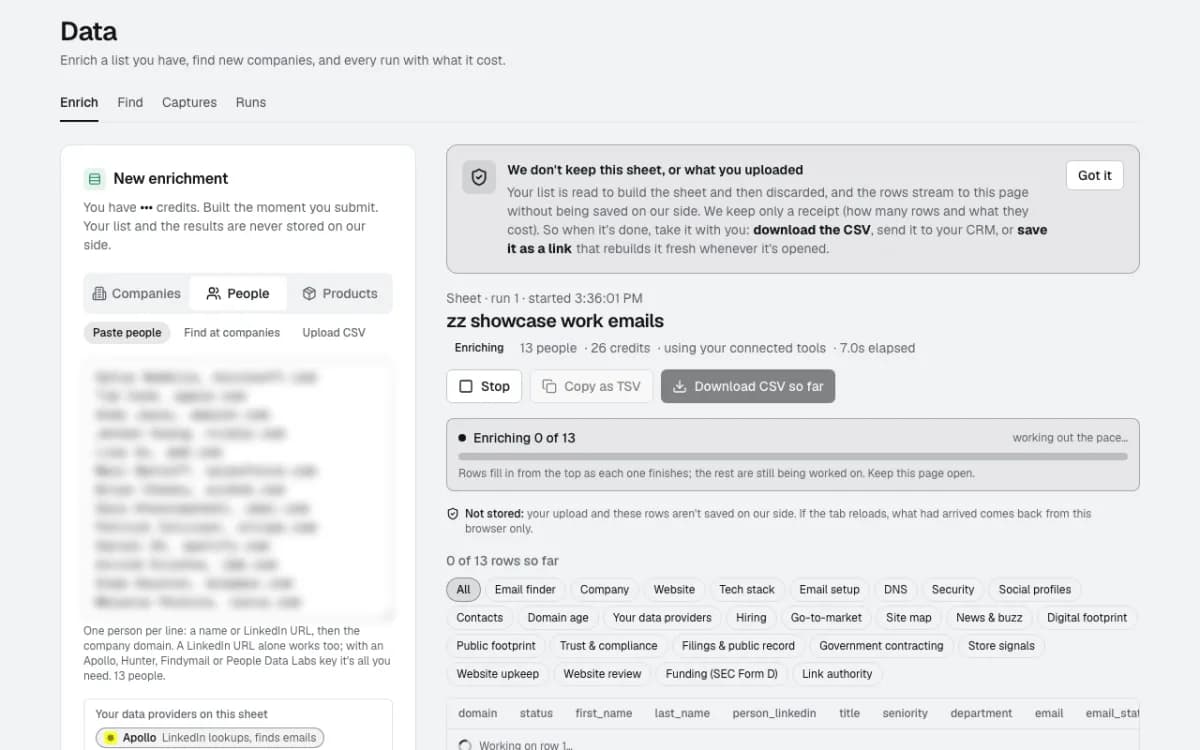
Rows fill in from the top as each person finishes. For each one the sheet tries the next tool only when the last one had no answer, so a found and verified address stops there.
All 13 were done in 57 seconds.
Result
- 5
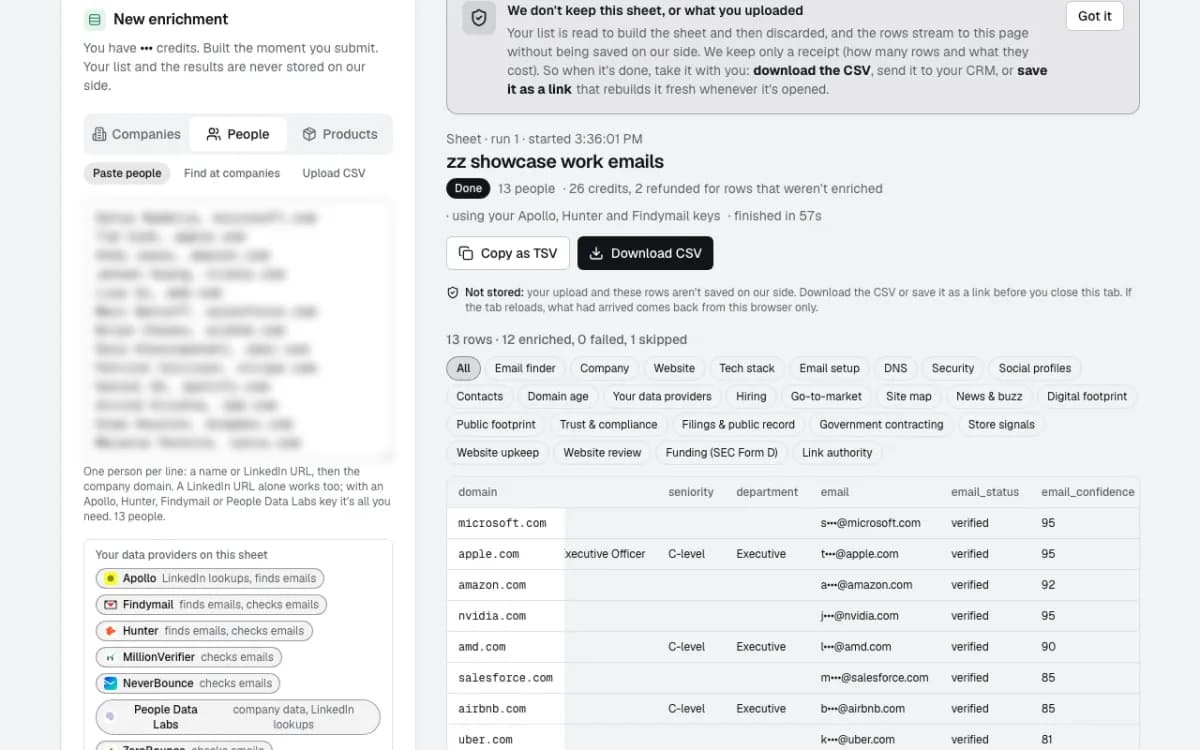
12 verified work emails
Every person the service could process got a work email marked verified, with a confidence from 80 to 95. Emails are masked here; in your sheet they're in full.
The Spotify row was skipped with its reason on the row (the service doesn't process EU, EEA or UK personal data) and its 2 credits came back.
- 6
How each one was found
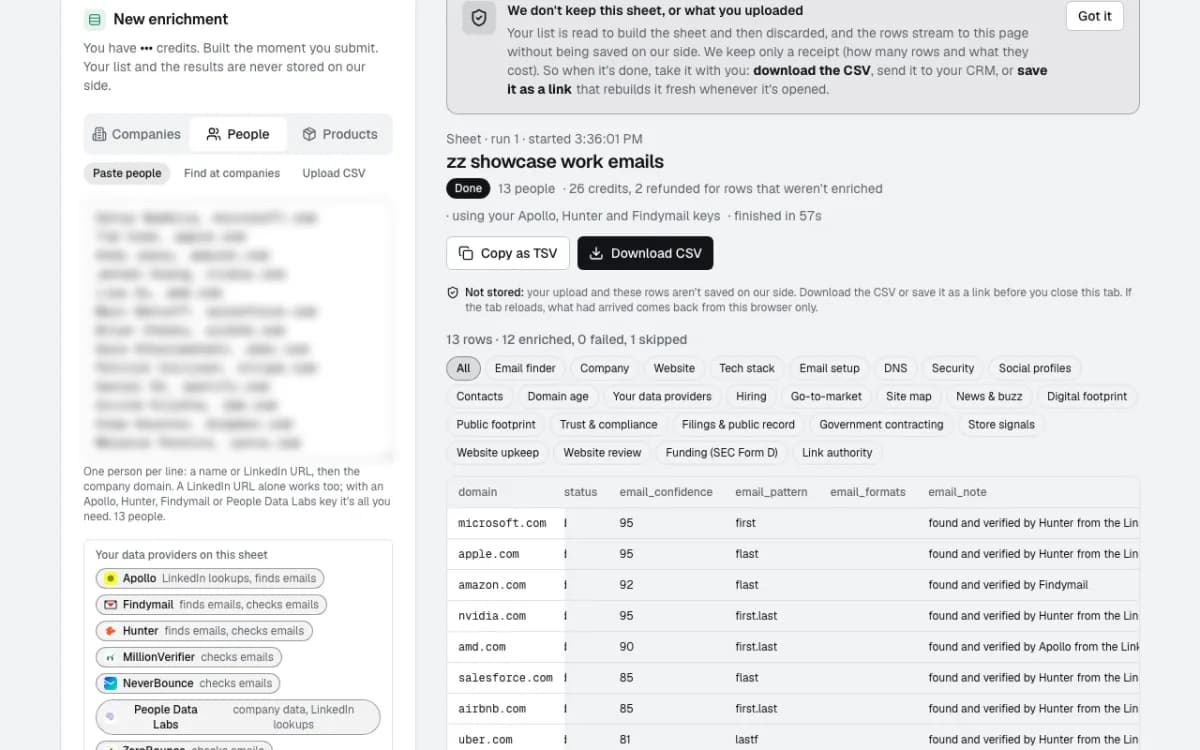
Next to each address: the pattern it follows (first, flast, first.last), which tool found and verified it, and the company's other email formats with how often each is seen.
The trail is on every row, for example "Included: company email formats only (no address built) → Findymail: no match → Hunter: verified email". No address is built from a name and guessed.
What happens next
- 7
Download it, nothing is kept
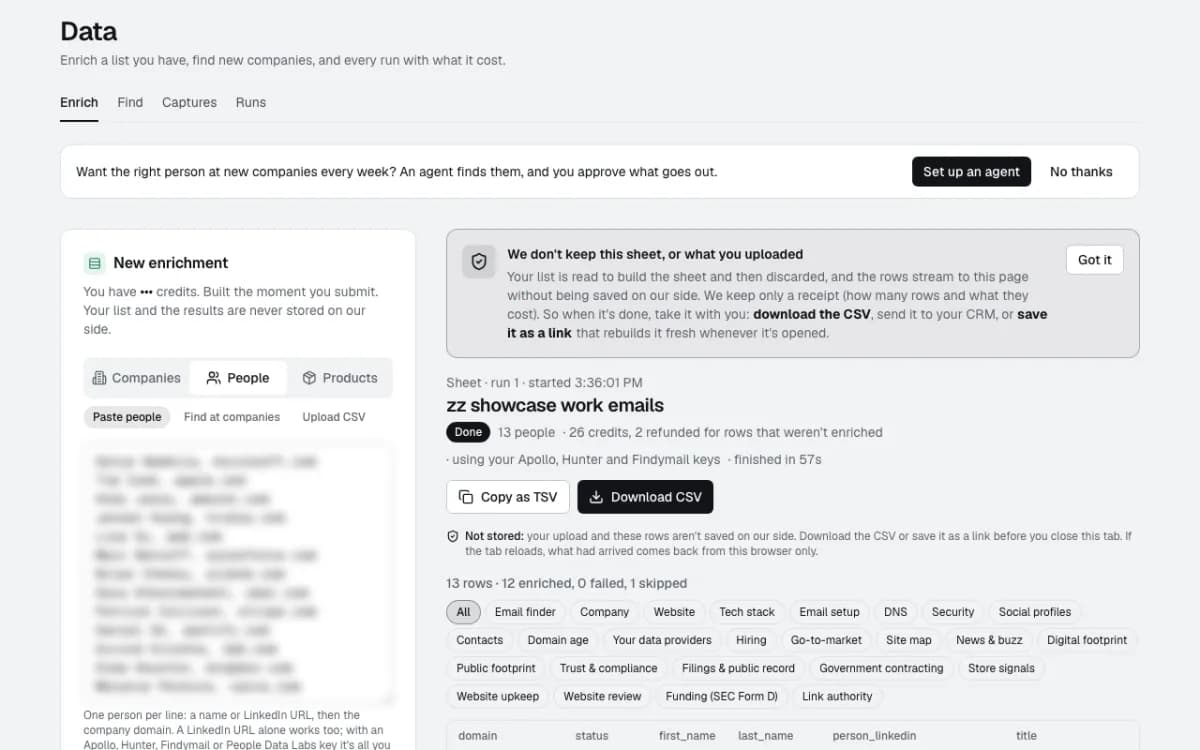
Download CSV or Copy as TSV and paste it into a spreadsheet. The list and the results are never stored on our side, only a receipt of how many rows and what they cost.
No email was sent to anyone. To have new people found and checked every week, an agent can run the same steps and hand the rows to your CRM.
Questions
- Do you make up addresses from a name?
- No. An address comes back only when one of the tools you connect finds or confirms it, or it's published on the company's own site. Without a finder or checker connected, you get the company's email formats and how often each is seen, not an address.
- What does it cost?
- 2 credits a person with Work email ticked: 1 for the row and 1 for the email finder. Rows that can't be done are refunded. The lookups themselves use your own Apollo, Hunter, Findymail or checker plan, and you choose which ones each sheet may call.
- Do you keep the names or the emails?
- No. Your list is read to build the sheet and then discarded, and the rows stream to your browser without being saved. We keep only each company's email formats, never anyone's address. Download the CSV before you close the tab.
Build this one in a sentence
500 credits included, no card. Nothing sends until you say so.